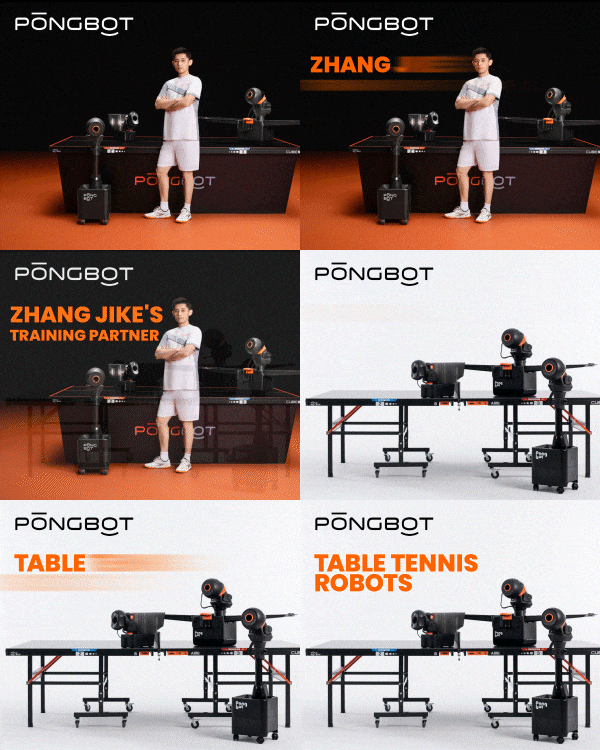
Pongbot Nova S Pro owners' review and discussion thread

This user has no status.
Member
Feb 2026
5
13
17
Howdy all, got a proof of concept for a feature. Spent a total of about two hours on this today. Would love to bounce ideas with others, and also see if anyone else is interested in this or not. If not I will just engineer the solution to work for my own home setup and that is it.

Proof of Concept

Problem Statement:
Right now almost all table tennis robots have one big feature lacking. I have no way to practice serving and third ball attacks.

What I want: I decide what serve I want to practice. I then program a few balls with some scatter for possible receives, then when the ball I serve is detected to cross the net it then chooses a receive (random or in order whatever is chosen) and sends it back.

Bonus Feature: Opponents sometimes mess up returns and pop the ball high, allow user to define probability of each return so user can program 70% pushes, 20% flips, 10% high returns etc


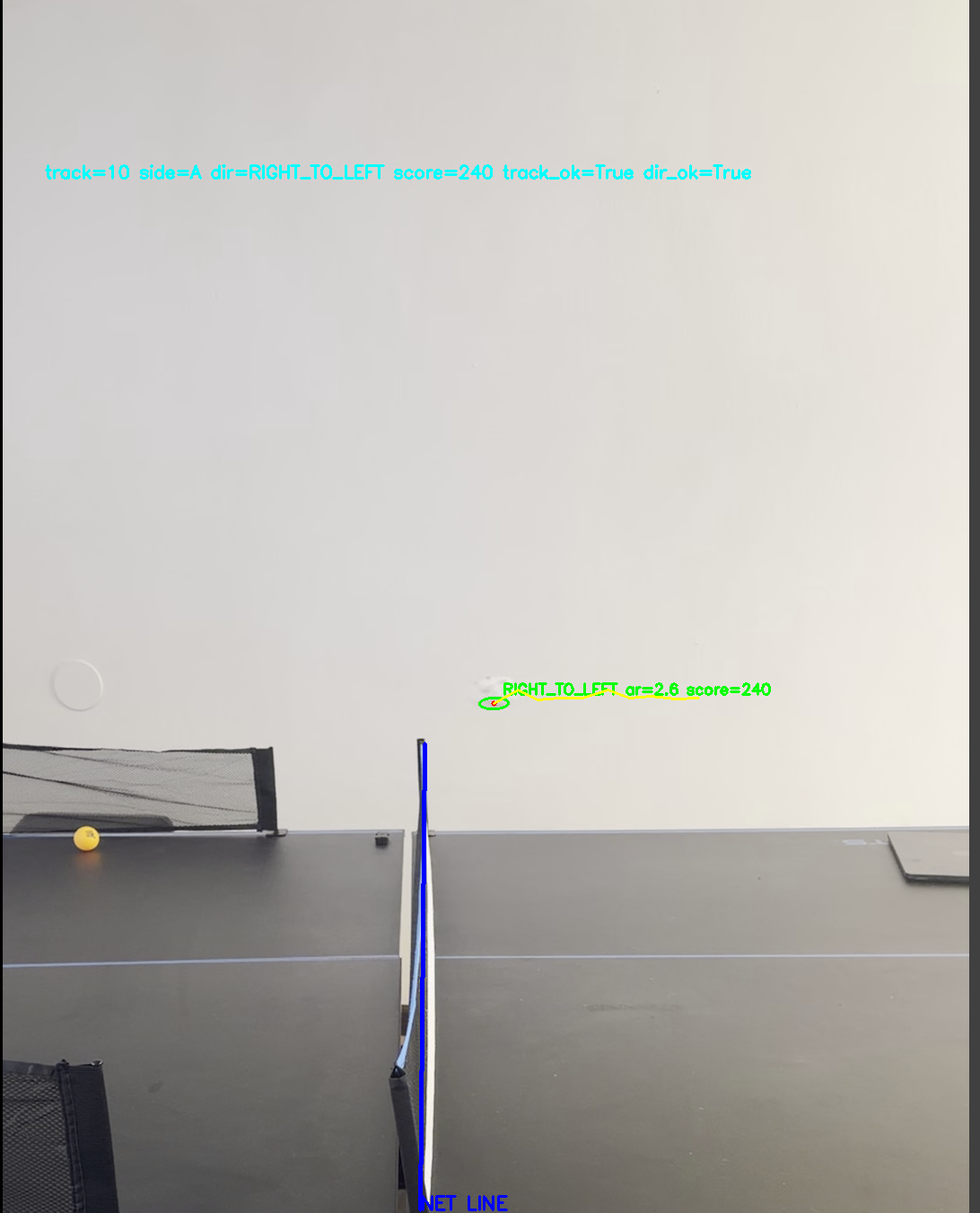
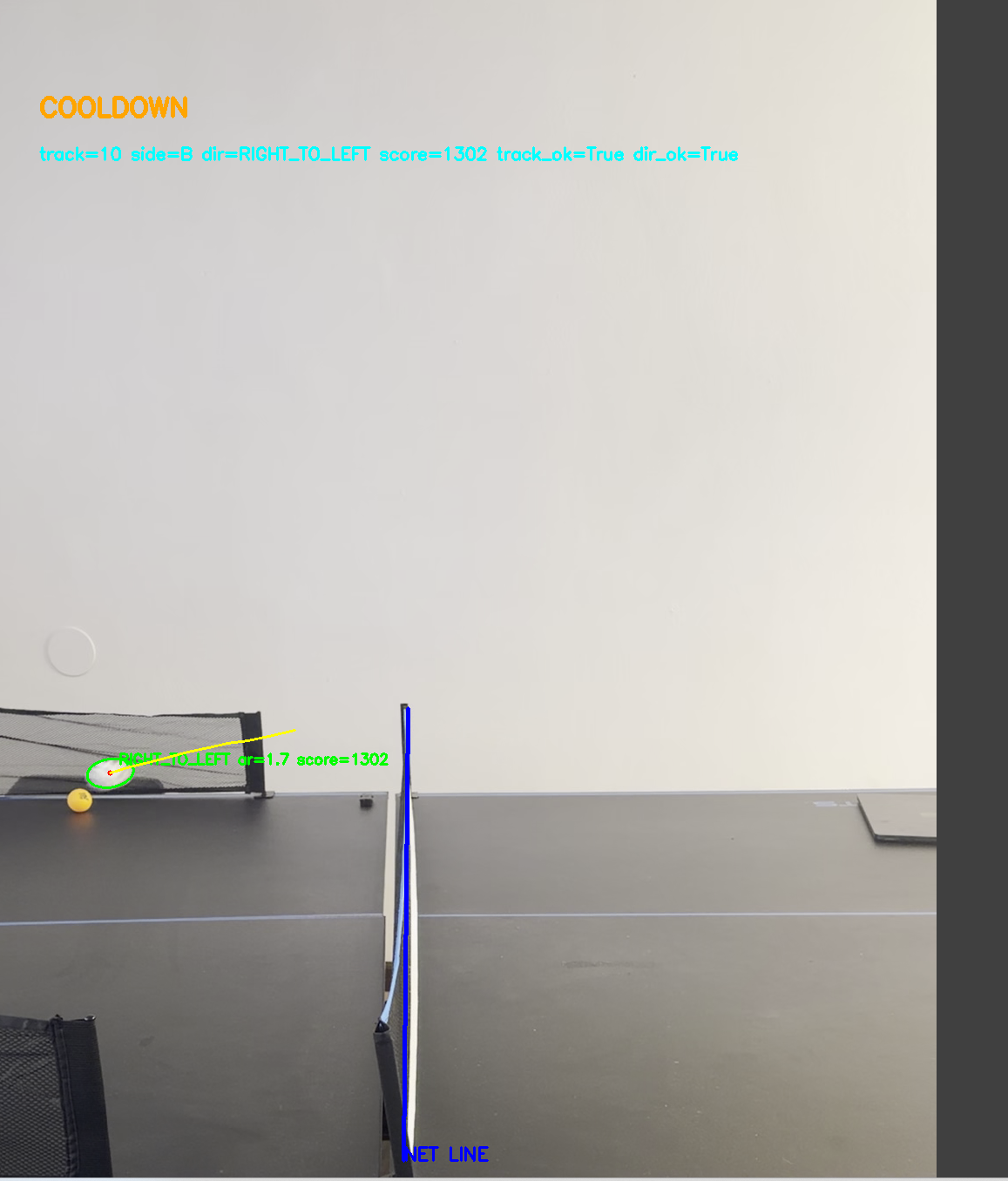
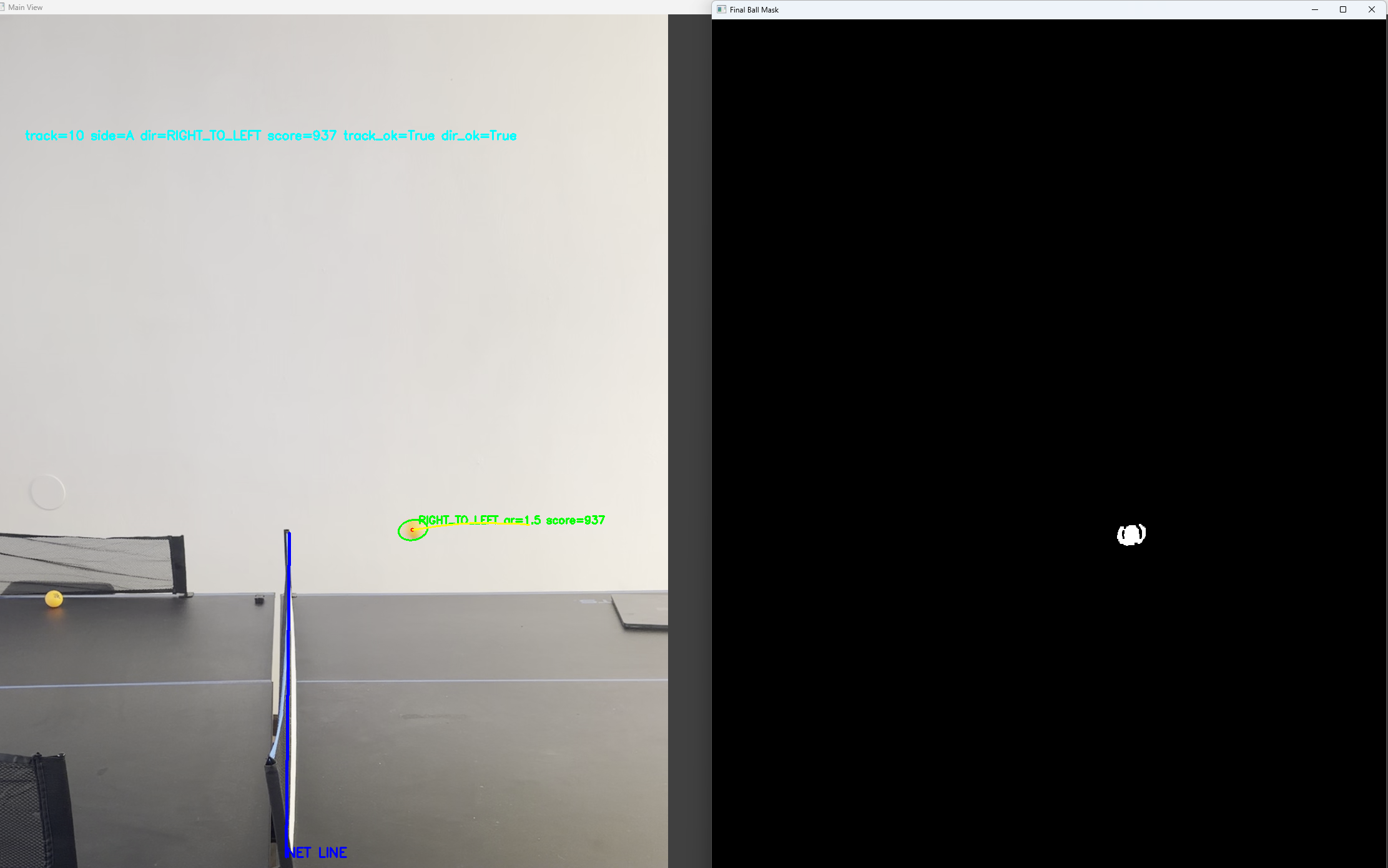
What I have done so far: Basic OpenCV python program that detects when ball crosses the net. User defines the net by clicking. When ball crosses net applies a cooldown (5 seconds) to account for the fact that the robot will send a ball back and you will third ball attack it so there will be 2 more crossings in a short time you want to ignore.


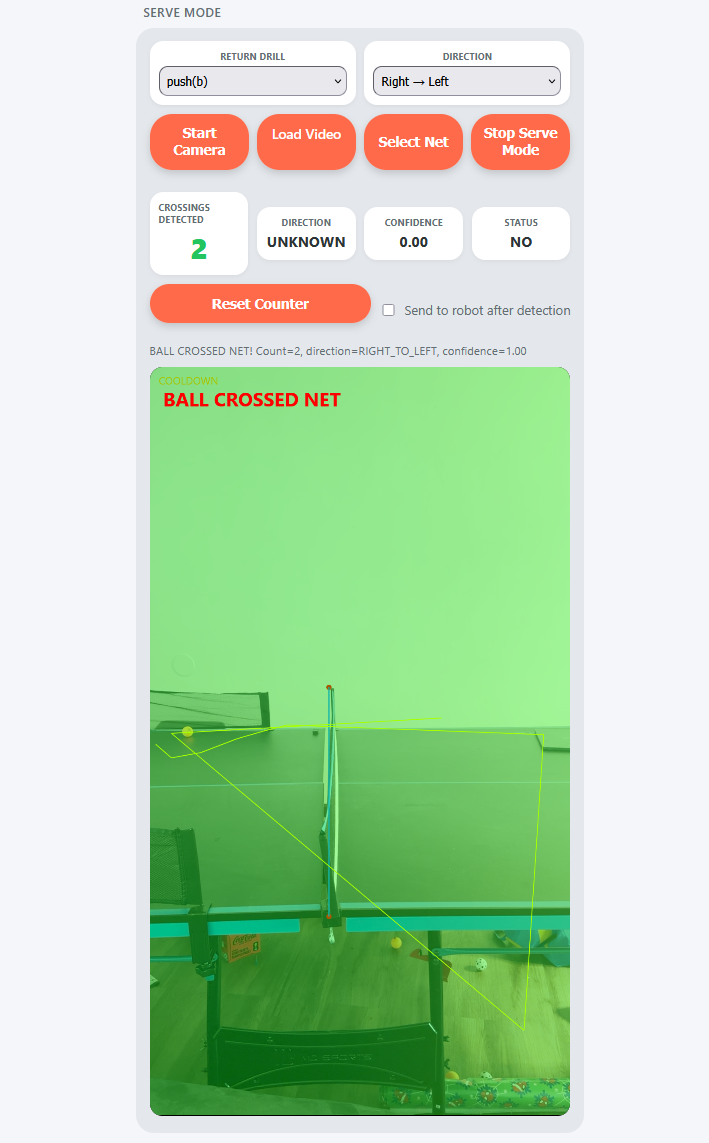
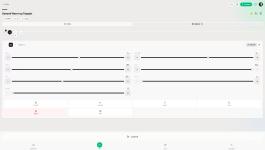
Example I put into the webapp:
Ignore the load video button, that is because I don't have a webcam right now so I have the ability to load a video file instead to test. The idea is you just program a drill like normal and then can select it as the drill for return options, you start your camera, select the net location and define if the serves go from right to left or left to right.

When ball detected crossing net it then sends the next ball of the return drill

Issues right now: My OpenCV detection works great in python, been unable to replicate accuracy in Javascript

Where to go from here:
I will keep experimenting a bit on the javascript side of things to see if I can replicate accuracy. Changing camera angle to include more of the table induces more false positives and more noise, but current angle doesn't give a lot of time so faster balls go undetected


Potential Problems / Drawbacks: I fear that once I use a real webcam their may be too much latency to get good results. If the return happens seconds after the ball hits the other side it isn't as good training.

An IR sensor net would be a lot more accurate but add complexity and hardware costs

A 120 fps iPhone video works great... Live WebCam feed may not work well as I haven't tested it yet. 60 FPS or lower video feeds would probably kill any chance of this working well

This may be all completely unnecessary... maybe a big enough delay between balls on drills could be good enough for most people instead of something like this. But if this is done well enough it could provide value

@olanga Curious your thoughts, you are way more familiar with everything as you've done it. Is the latency/delay too much to make something like this work practically? Do you think camera detection is a valid approach via javascript or there's too much room for false positives and it would run too slow?
1780626840846.png

Python OpenCV Detection Photos
1780626325232.png
1780626331521.png

1780626382943.png
 
says rejoicing in rbpon 🆚 robipon
Member
Sep 2024
365
223
1,228
Read 2 reviews
thought that i'd post/share the following info here, even if the info is useful to Omni users (like myself) too:

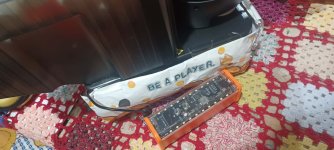
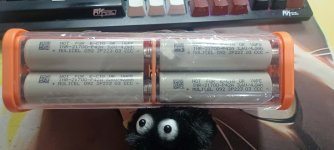
As you all know, i've been using my pongbots exclusively with 24V-capable pocketable powerbanks (typically based on 4x21700 batteries) ever since i got the PWEITE-manufactured powerbanks. Powering a TT robot by a little powerbank is very satisfaying :love: but one might not like the thought that, in 5-7 years, one would have to replace the entire "aged" powerbank with a freshly manufactured unit because, in 4x21700 24V-capable powerbanks, the 4 batteries are not user-replaceable. Since last year there has been a growing number of high-quality USB powerbanks with user-replaceable batteries (4x18650, 6x18650x, 8x18650, 10x18650, 12x18650), it's a new development/trend and i welcome that, cheers! Among them only very few are capable of 24V DC output, e.g. recall the pioneering horrible 3S4P-effort from 10 years ago (which got reiterated over the years but basically stayed the same :poop:; still worth mentioning and knowing!). Nowadays the very best choice being the modern sophisticated 65W PD 4S2P unit with informative display, which i love to death and highly recommend, an electrical engineering masterpiece, see attached.

I got my unit for 18$ shipped, you'll find listings starting from 14$ shipped (be careful not to order the wrong model! apparently the model's name is T8). It's not a DIY kit. Apart from the missing eight cells, everything is pre-assembled, a finished product. I had 10 unused cheap Chinese 1500mAh cells lying around, so i placed 8 of them into the internal battery holder of the T8, closed the unit (4 tiny screws), and plugged a USB-C charging cable to jumpstart the T8's electronics and the powerbank came to life, what a fantastic product! Otherwise new cells would have cost me 2$/pc; in other words, if you ever (and imho you should!) operate the Nova from a powerbank starting from scratch, the minimum acquisition cost will be 30$ (= 13.99 + 8*1.99). In comparison, the original Pongbot powerbank costs like 60$, has no display and no user-exchangeable 21700's.

Using 8x1500mAh cells (e.g. Chinese 18650), one gets exactly 2.2h of pongbot runtime (24V 0.68A is the average power consumption of the Nova S Pro during an intense training session; for the Omni S Pro the average power consumption is more like 24V 0.98A); recharging took me 65min with a powerful USB-C wall charger. Using 8x3500mAh cells instead (e.g. 18650 by LG, Panasonic, Sanyo, Sony, Samsung), one gets around 5.0h of Nova runtime. I vouch for these values, i've tested them all, hence this post.

With the Nova there's no question re the placement of the T8 (or the Pweite): the Nova sits on the table, so one can place the powerbank right next to it on the table.

With my Omni there was the question of placement but i found the perfect location: as long as the powerbank's carry case has a loop (~wrist strap), the loop can be hung at the Omni's rubber bumpers (distance holder to the table's edge). So i ordered a T8-compatible carry case which includes a carry loop:


Btw pocketable powerbanks which are capable of 24V DC output do exist but they're rare on the market. The technology-leader in such powerbanks would be Omnicharge. The prices for their newer releases have come down since they upended the market 10 years ago, e.g. the Omnicharge Omni Mobile 25600 at just 149US$. However that 8x18650 model has no display screen and no user-replaceable 18650's. We're better off with the T8 and 18650's sourced from our scrapyard (old laptops, old e-bikes, old teslas\roombas\vacuums\power tools, old RC vehicles\adult toys, etc). New 18650's are inexpensive though from professional online retailers such as NKON (enter search 🔍 term < 3500 > and see what happens ...).
 

Attachments

  • powerbank_shell_85.jpg
    2.9 MB · Views: 34
Last edited:
  • Like
Reactions: smee0815 and barusu
This user has no status.
Howdy all, got a proof of concept for a feature. Spent a total of about two hours on this today. Would love to bounce ideas with others, and also see if anyone else is interested in this or not. If not I will just engineer the solution to work for my own home setup and that is it.

Proof of Concept

Problem Statement:
Right now almost all table tennis robots have one big feature lacking. I have no way to practice serving and third ball attacks.

What I want: I decide what serve I want to practice. I then program a few balls with some scatter for possible receives, then when the ball I serve is detected to cross the net it then chooses a receive (random or in order whatever is chosen) and sends it back.

Bonus Feature: Opponents sometimes mess up returns and pop the ball high, allow user to define probability of each return so user can program 70% pushes, 20% flips, 10% high returns etc


What I have done so far: Basic OpenCV python program that detects when ball crosses the net. User defines the net by clicking. When ball crosses net applies a cooldown (5 seconds) to account for the fact that the robot will send a ball back and you will third ball attack it so there will be 2 more crossings in a short time you want to ignore.


Example I put into the webapp:
Ignore the load video button, that is because I don't have a webcam right now so I have the ability to load a video file instead to test. The idea is you just program a drill like normal and then can select it as the drill for return options, you start your camera, select the net location and define if the serves go from right to left or left to right.

When ball detected crossing net it then sends the next ball of the return drill

Issues right now: My OpenCV detection works great in python, been unable to replicate accuracy in Javascript

Where to go from here:
I will keep experimenting a bit on the javascript side of things to see if I can replicate accuracy. Changing camera angle to include more of the table induces more false positives and more noise, but current angle doesn't give a lot of time so faster balls go undetected


Potential Problems / Drawbacks: I fear that once I use a real webcam their may be too much latency to get good results. If the return happens seconds after the ball hits the other side it isn't as good training.

An IR sensor net would be a lot more accurate but add complexity and hardware costs

A 120 fps iPhone video works great... Live WebCam feed may not work well as I haven't tested it yet. 60 FPS or lower video feeds would probably kill any chance of this working well

This may be all completely unnecessary... maybe a big enough delay between balls on drills could be good enough for most people instead of something like this. But if this is done well enough it could provide value

@olanga Curious your thoughts, you are way more familiar with everything as you've done it. Is the latency/delay too much to make something like this work practically? Do you think camera detection is a valid approach via javascript or there's too much room for false positives and it would run too slow?
View attachment 41967
Python OpenCV Detection Photos
View attachment 41964View attachment 41965
View attachment 41966
I am very interested in this and look forward for the next steps. When you need someone to test it I can try to 😅
 
This user has no status.
New Member
Oct 2018
2
6
10
[Beta Testers Wanted] Pongbot Bro – App for controlling your Pongbot Nova S

Hey everyone,


I'm Cem, a player from Germany who works as a programmer and web designer. Between sessions I've been building a web app called Pongbot Bro for controlling the Pongbot Nova S Pro via Bluetooth – and I'm looking for fellow Nova S Pro owners to test it during real training.

Why I built this

Honestly, two reasons: curiosity and frustration. I wanted to explore what's possible with Web Bluetooth – and I was genuinely annoyed by the official manufacturer app. Having to go through login screens, passwords and account setup just to hit a few balls felt unnecessarily slow. The time from opening the app to the first ball landing on the table was just too long. With Pongbot Bro I wanted to cut that down to the bare minimum – open the app, connect, train.

What the app does:

  • Drill Library – save, manage and share drills via import/export codes (community format, human-readable and hand-writable)
  • Drill Editor – configure balls with speed, spin, height, scatter, position (1–9), orientation and more
  • AI Coach – describe what you want to train by voice or text, and the AI generates a matching drill for you
  • Training Stats – balls per session, active days, streaks, top drills, activity history
  • Training Diary – add notes after each session to track your progress over time
  • Tabata Mode – interval training with configurable work/rest phases and BPM intensity
  • Calibration – dial in offset values per table position so the robot actually hits where you want it to
  • Multiple Profiles – different players on the same device
  • Hands-free Control – start and stop drills without touching your phone: works with keyboards, wireless input devices, and gaming pads
Device & Browser Requirements

The app requires Web Bluetooth and runs directly in the browser – no app store download needed. Supported platforms:

  • ✅ Chrome or Edge on Windows, macOS, Linux, Android, ChromeOS
  • iPhone / iPad – Apple blocks Web Bluetooth system-wide, so it does not work in any browser on iOS/iPadOS
  • ⚠️ Third-party browsers like Bluefy on iOS may work but are considered experimental – your mileage may vary
Who I'm looking for:

I'm specifically looking for Pongbot Nova S owners who want to put this through its paces in real training. Try it out, tell me what works, what's annoying, and what's missing. That's it. I'm actively developing the app and genuinely enjoy implementing feature requests – so if you have ideas, bring them on.

After an initial round of testing with beta users, I plan to release the app publicly – so your feedback directly shapes what that release will look like.

If that's you, drop a reply or send me a DM and I'll send you the link. All feedback welcome – the good, the bad, and the ugly.

Credits & Thanks

A big thank you to olanga and smee on GitHub – their prior work and open source contributions were a huge inspiration and helped lay the groundwork for this project. 🙏

Thanks and see you at the table 🏓
 

Attachments

  • pongbot-bro-screenshot01.png
    pongbot-bro-screenshot01.png
    402.1 KB · Views: 39
This user has no status.
Member
Feb 2026
8
10
24
thought that i'd post/share the following info here, even if the info is useful to Omni users (like myself) too:

As you all know, i've been using my pongbots exclusively with 24V-capable pocketable powerbanks (typically based on 4x21700 batteries) ever since i got the PWEITE-manufactured powerbanks. Powering a TT robot by a little powerbank is very satisfaying :love: but one might not like the thought that, in 5-7 years, one would have to replace the entire "aged" powerbank with a freshly manufactured unit because, in 4x21700 24V-capable powerbanks, the 4 batteries are not user-replaceable. Since last year there has been a growing number of high-quality USB powerbanks with user-replaceable batteries (4x18650, 6x18650x, 8x18650, 10x18650, 12x18650), it's a new development/trend and i welcome that, cheers! Among them only very few are capable of 24V DC output, e.g. recall the pioneering horrible 3S4P-effort from 10 years ago (which got reiterated over the years but basically stayed the same :poop:; still worth mentioning and knowing!). Nowadays the very best choice being the modern sophisticated 65W PD 4S2P unit with informative display, which i love to death and highly recommend, an electrical engineering masterpiece, see attached.

I got my unit for 18$ shipped, you'll find listings starting from 14$ shipped (be careful not to order the wrong model! apparently the model's name is T8). It's not a DIY kit. Apart from the missing eight cells, everything is pre-assembled, a finished product. I had 10 unused cheap Chinese 1500mAh cells lying around, so i placed 8 of them into the internal battery holder of the T8, closed the unit (4 tiny screws), and plugged a USB-C charging cable to jumpstart the T8's electronics and the powerbank came to life, what a fantastic product! Otherwise new cells would have cost me 2$/pc; in other words, if you ever (and imho you should!) operate the Nova from a powerbank starting from scratch, the minimum acquisition cost will be 30$ (= 13.99 + 8*1.99). In comparison, the original Pongbot powerbank costs like 60$, has no display and no user-exchangeable 21700's.

Using 8x1500mAh cells (e.g. Chinese 18650), one gets exactly 2.2h of pongbot runtime (24V 0.68A is the average power consumption of the Nova S Pro during an intense training session; for the Omni S Pro the average power consumption is more like 24V 0.98A); recharging took me 65min with a powerful USB-C wall charger. Using 8x3500mAh cells instead (e.g. 18650 by LG, Panasonic, Sanyo, Sony, Samsung), one gets around 5.0h of Nova runtime. I vouch for these values, i've tested them all, hence this post.

With the Nova there's no question re the placement of the T8 (or the Pweite): the Nova sits on the table, so one can place the powerbank right next to it on the table.

With my Omni there was the question of placement but i found the perfect location: as long as the powerbank's carry case has a loop (~wrist strap), the loop can be hung at the Omni's rubber bumpers (distance holder to the table's edge). So i ordered a T8-compatible carry case which includes a carry loop:


Btw pocketable powerbanks which are capable of 24V DC output do exist but they're rare on the market. The technology-leader in such powerbanks would be Omnicharge. The prices for their newer releases have come down since they upended the market 10 years ago, e.g. the Omnicharge Omni Mobile 25600 at just 149US$. However that 8x18650 model has no display screen and no user-replaceable 18650's. We're better off with the T8 and 18650's sourced from our scrapyard (old laptops, old e-bikes, old teslas\roombas\vacuums\power tools, old RC vehicles\adult toys, etc). New 18650's are inexpensive though from professional online retailers such as NKON (enter search 🔍 term < 3500 > and see what happens ...).
Yep very handy indeed. I got mine for 9USD and used 8pcs of 21700 4000maH Molicels. It can power dc device from 3.3V to 24V. On the Nova S, it consumes 0.1A when idle and at almost 2 hours of use the display says 76%. I charge it with my laptop charger. Oh yes, it can also power my laptop, a T14 thinkpad. Beats assembling your own battery.
 

Attachments

  • baa92e36-0e3b-4206-a11f-7024b22f8b60.jpg
    baa92e36-0e3b-4206-a11f-7024b22f8b60.jpg
    92.4 KB · Views: 5
  • Like
Reactions: plunder
This user has no status.
New Member
Dec 2011
1
0
0
I'm having trouble using the default app with the nova s pro positioned in the center back of the table. I'm trying to create a ball with backspin that double bounces on my side of the table. I see other custom drills from the community page have it but I'm having trouble adjusting the settings to replicate it.
 
says rejoicing in rbpon 🆚 robipon
Member
Sep 2024
365
223
1,228
Read 2 reviews
I'm trying to create a ball with backspin that double bounces on my side of the table.
hi ken, so you're looking for a short ball which carries underspin. all typical short balls are slow balls. so you're looking for a realistic slow ball with underspin which bounces twice, aha. that's exactly what my table/spreadsheet is about. how to make use? first decide on the ball height range and narrow it down; you doht want the slow ball to come in at a high arc but barely clear the net.

you could try u25a and u30a, they are the shortest underspin balls (at max possible underspin rate) possible at Ball Height 25 and 30 respectively. Since at 30, the ball gets ejected higher, the max possible underspin rate (which barely clears the net) must be lower than at 25.

From Ball Height >30 on, your programmed underspin balls become higher and less spinny (and it gets easier to make them bounce 2+ times on your table side): unrealistic balls, nobody in a match would produce such easy-to-smash balls.

so the window/range for a realistically low-flying underspin short ball is limited/small, namely 25 ... 30 for the Ball Height. within this window, the max possible underspin rate is restricted too: if you choose it too low, the ball will fly into the net, and if you choose it higher than the min from my table, then the ball doesn't become short anymore.

It's very instructive to work with the table, as you'll understand that the app's Speed and Spin values are NOT independent, but merely mappings. All the robot really does is spinning the upper wheel at UW (e.g. UW=500), always in the same direction, and spinning the lower wheel at LW (e.g. LW=3750), always in the same direction. If you edit from 500/3750 to 500/3850, then the ball will carry more underspin AND will be ejected at a higher speed (and thus travel a little further, and due to the underspin, even further).

If you're still dissatisfied with u25a or u30a (these are low short balls with underspin!), then check the entire review thread: nobody ever claimed that the Nova can produce high-quality short pushes, i.e. balls which land short AND fly low (or at least lowish) AND carry lots of underspin!

Interestingly, the Omni absolutely can do so 👀, and i still haven't figured out the mechanism how it does it. it's a headscratcher 🤔
 
Top